Mountain of Stupidity → Valley of Despair (part 3)
Three ways to talk to Claude — Part 3 of 3: ManagedAgentClient
Quick recap for anyone joining mid-series: this is the last of three posts built around one small idea — building the same thing three different ways in C# until the differences between them stopped being abstract.
Part 1 was ChatClient: one call, one response, no loop.
Part 2 was ClientLoopAgent: a multi-turn tool-use loop that I wrote and owned myself, running entirely on my own machine.
Today's project is the right-most column: ManagedAgentClient hands the whole loop — and the sandbox its tools run in — over to Anthropic.
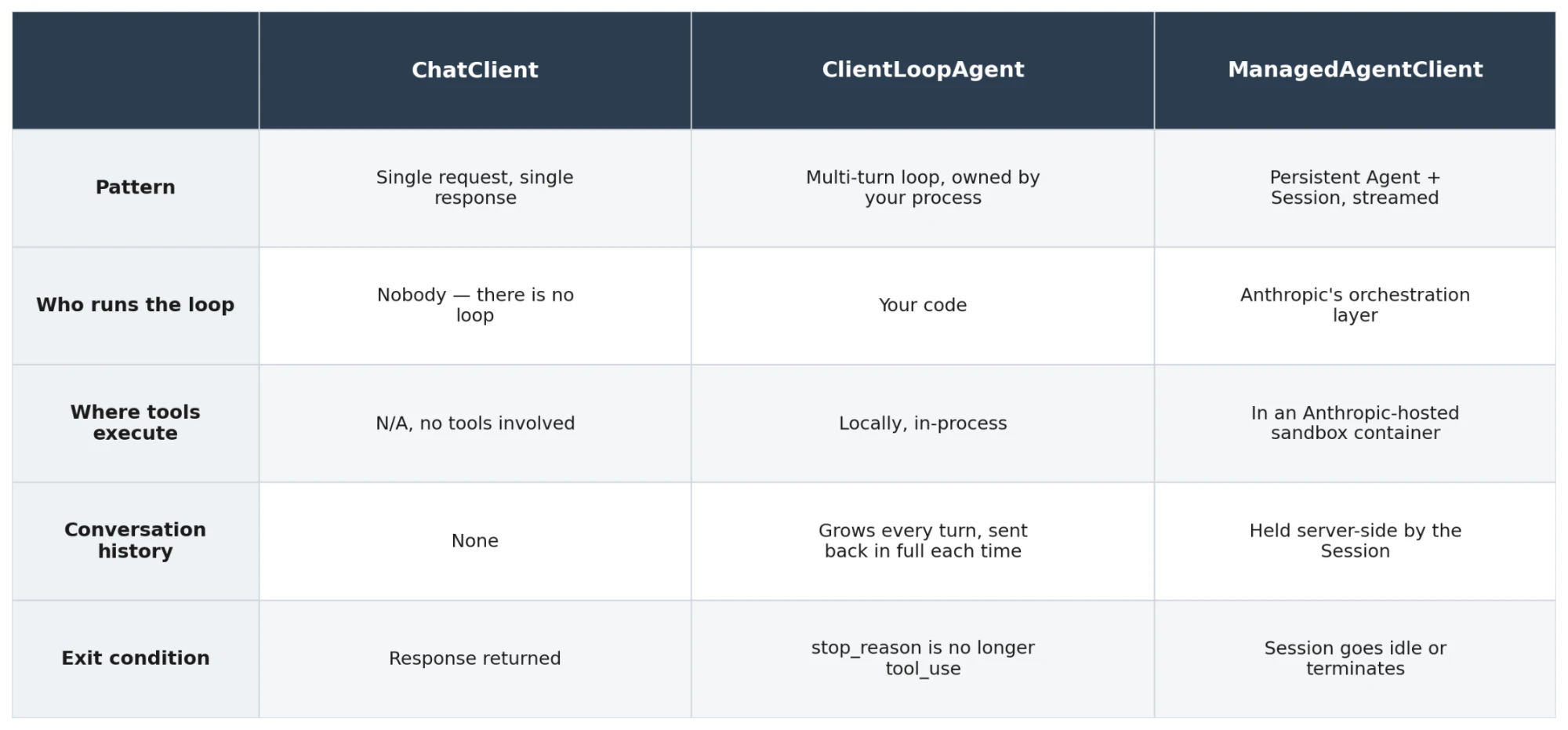
So - where do things run and who holds the responsibility?
flowchart TB
    subgraph yours["Your infrastructure"]
        mac[ManagedAgentClient]
    end

    subgraph anthropic["Anthropic infrastructure"]
        subgraph managed["Managed Agents"]
            direction LR
            loop["Agent loop<br/>(orchestration layer)"]
            box["Per-session container<br/>(bash, files, code exec)"]
        end
        claude["Claude (model)"]
    end

    mac e1@-->|"create Agent + Session<br/>stream events"| loop
    loop e2@<--> box
    loop e3@<--> claude

    e1@{ animate: true }
    e2@{ animate: true }
    e3@{ animate: true }

    classDef n fill:#ececff,stroke:#9370db,color:#333
    class mac,loop,box,claude n
    style yours fill:#ffffde,stroke:#aaaa33,color:#333
    style anthropic fill:#ffffde,stroke:#aaaa33,color:#333
    style managed fill:#ffffde,stroke:#aaaa33,color:#333
ManagedAgentClient: the loop is no longer yours
ManagedAgentClient doesn't touch Messages.Create directly at all — it talks to Anthropic's beta Managed Agents surface (client.Beta.Agents, .Environments, .Sessions, .Sessions.Events) and the shape of the code changes accordingly.
There's a one-time setup, guarded by two environment variables so it only runs once per pair of resources:
Create an Environment — the sandbox configuration (in this demo, unrestricted networking).
Create an Agent — a persistent, named, versioned config: a model, a system prompt, and a toolset. In this demo, that toolset is Anthropic's built-in agent_toolset_20260401, not a hand-written JSON schema.
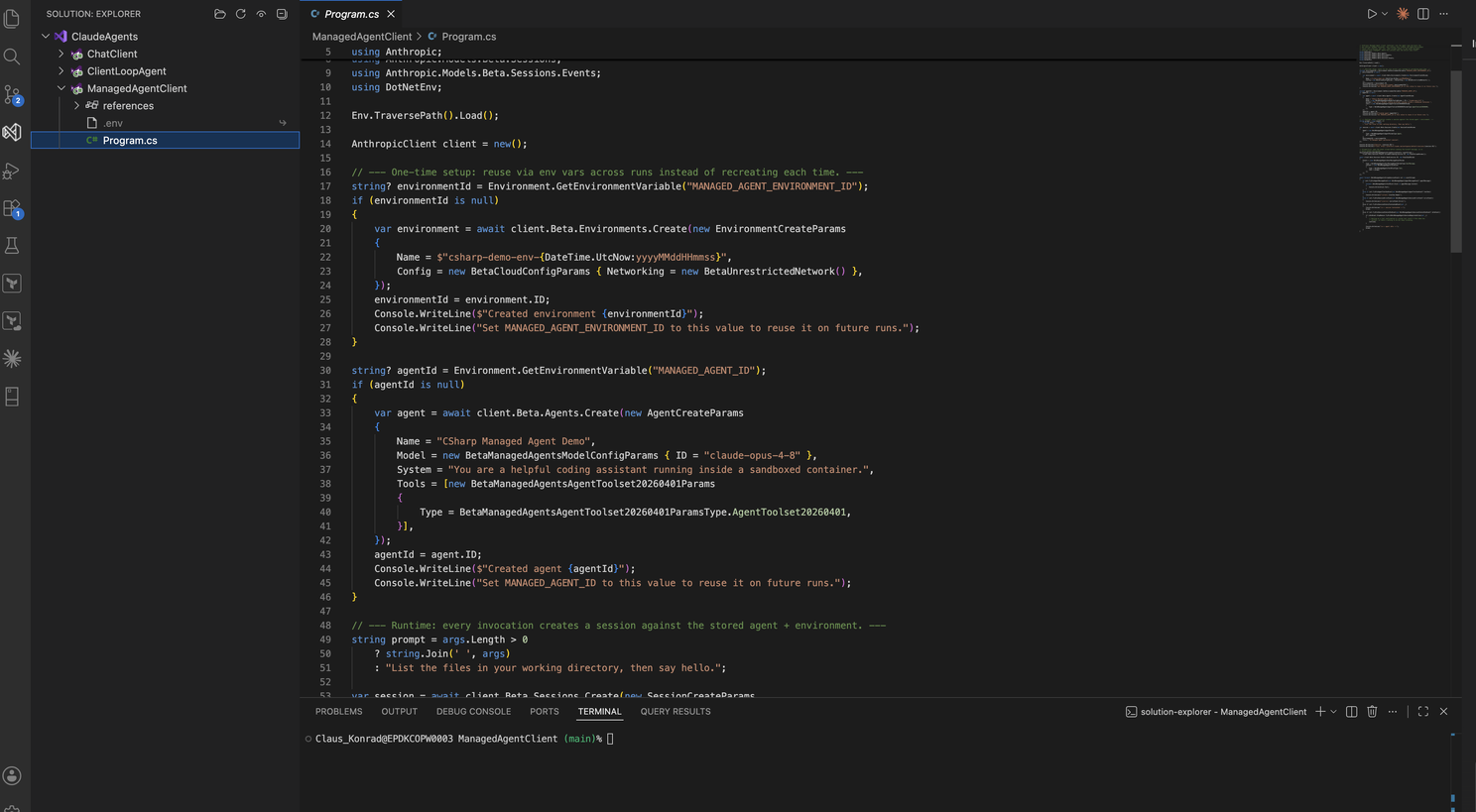
MANAGED_AGENT_ID and MANAGED_AGENT_ENVIRONMENT_ID let every later run skip straight past this and reuse the same Agent and Environment. Recreating an Agent on every invocation is the documented anti-pattern here — Agents are meant to be created once and reused by ID, not thrown away after a single run the way a ClientLoopAgent (Part 2) tool list is.
Then, every run:
Create a Session against the stored Agent and Environment.
Open the event stream (Events.StreamStreaming) before sending anything — stream-first, so no early events are missed.
Send the kickoff prompt as a user.message event.
Read events off the stream as they arrive — agent.message (text), agent.tool_use (Claude used a tool, inside the sandbox, not on your machine), session.error, and the two terminal states, session.status_terminated and session.status_idle — until one of the terminal events ends the loop.
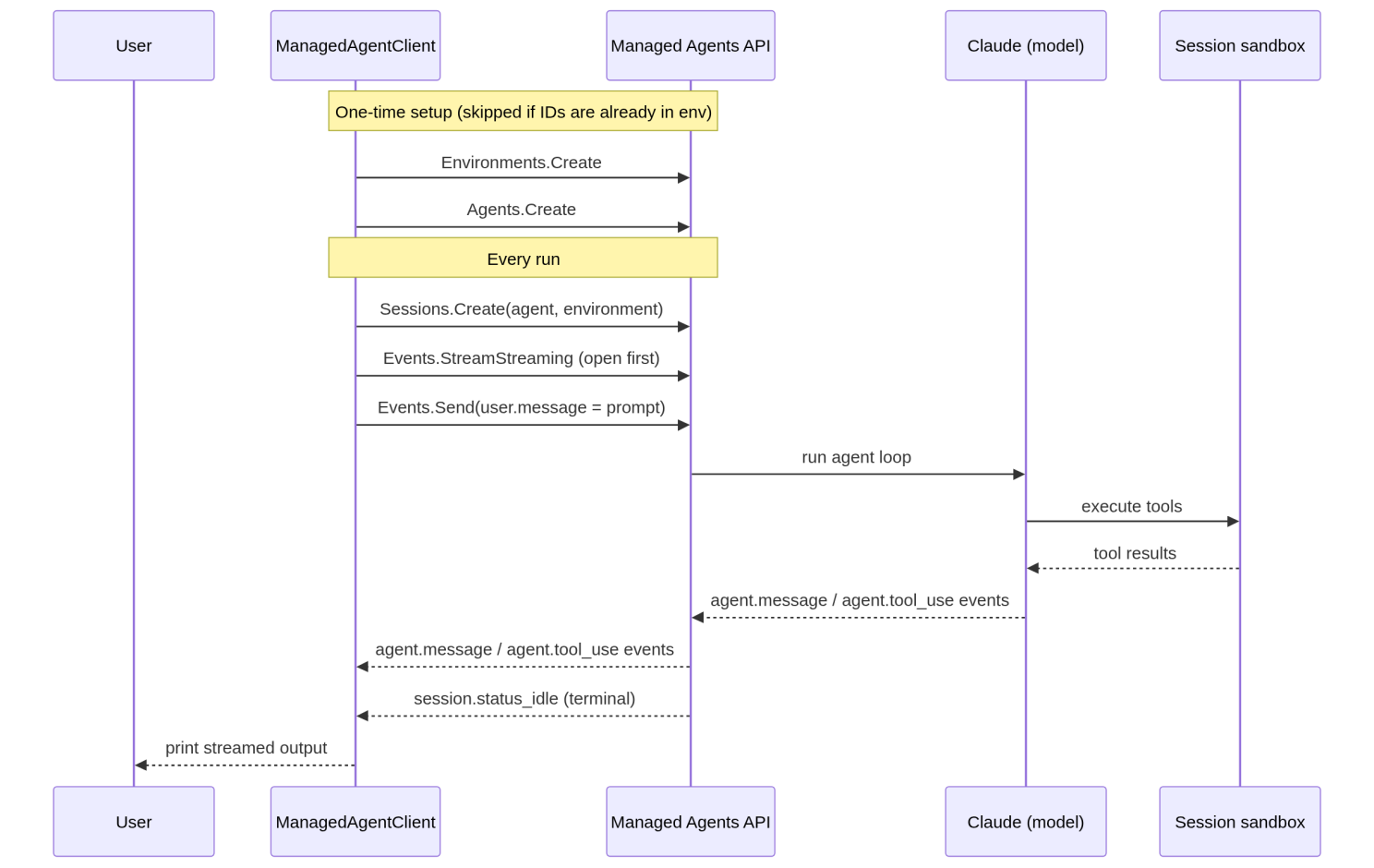
The contrast with ClientLoopAgent is the whole point. In ClientLoopAgent, the tool-execution step (ExecuteTool(...)) is a function in my own Program.cs — I own it, I can put a breakpoint in it, and if calculate throws, it throws in my process.
In ManagedAgentClient, there's no equivalent function anywhere in the file. When Claude decides to run a tool, it runs inside the Session's hosted container, and all my code ever sees is an agent.tool_use event telling me it happened. I traded control and visibility for not having to write, host, or scale a sandbox myself.
Run the code:
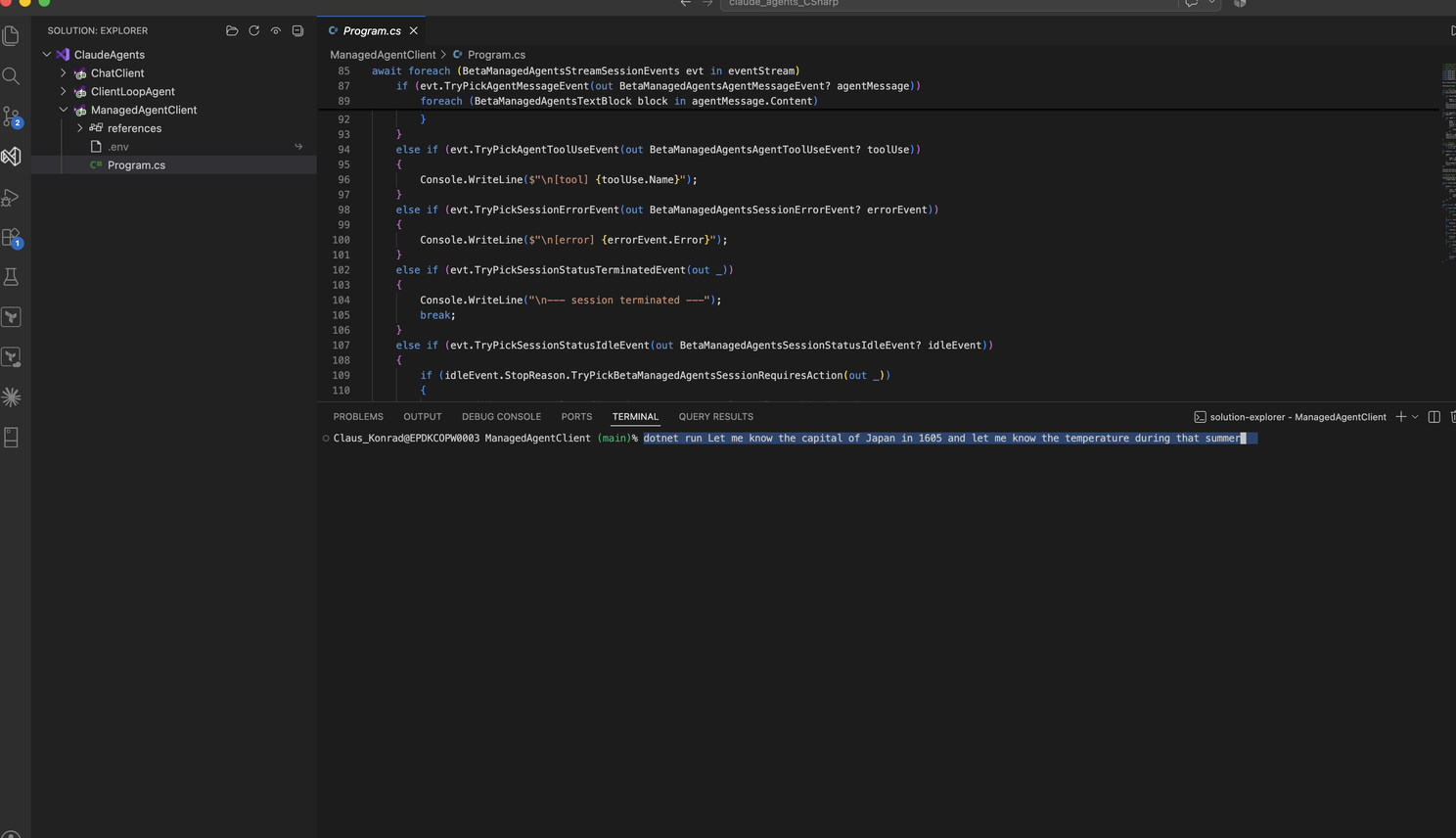
Result:
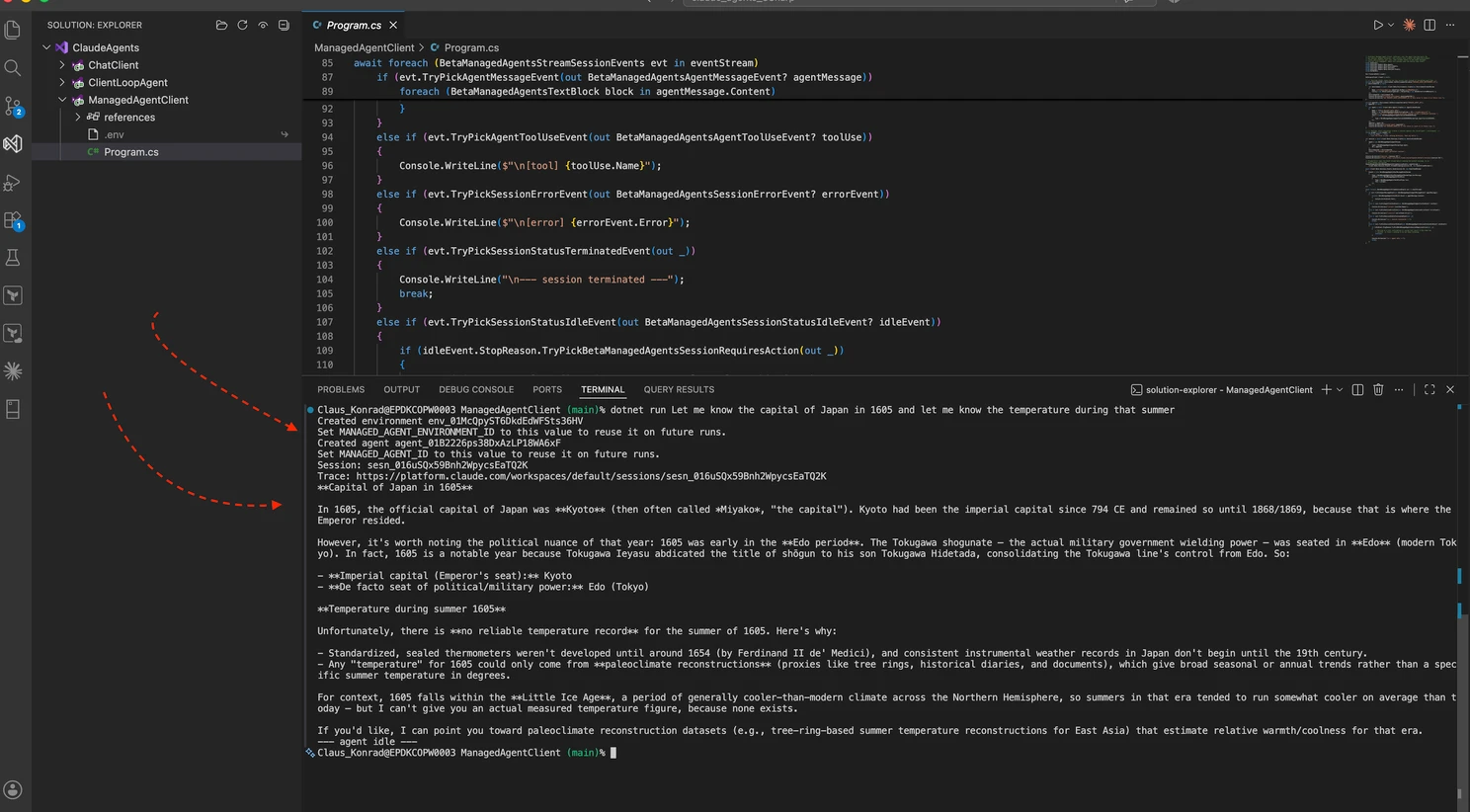
As seen in the result window - only the actual result comes back. No intermediate turns or messages; only the end result.
Summary
That's the real spectrum, once you've built all three: not "which one is the real agent," but how much of the loop and the execution environment you're willing to own versus rent. ChatClient (Part 1) owns nothing because there's nothing to own. ClientLoopAgent (Part 2) owns the loop and the tools, but nothing else. ManagedAgentClient owns neither — it just describes an Agent once, and then shows up to listen.
Part 3 of 3 — Climbing back out of the Valley of Despair: three ways to talk to Claude. Part 1: ChatClient. Part 2: ClientLoopAgent.