Mountain of Stupidity → Valley of Despair (part 1)
Even after passing every certification Anthropic offers, you can still feel yourself tumbling down the steep slope from the "Mountain of Stupidity" into the uncomfortable "Valley of Despair". This is a well-known pattern: once you think you understand something in depth, you suddenly start noticing things you didn't expect; that's the "Valley of Despair". The whole experience even has an official name: the Dunning-Kruger effect.
That's a normal, and even healthy part of the learning journey as it keeps you humble. If you meet someone claiming they know everything about a subject, you know (that they don't!)
Three ways to talk to Claude — Part 1 of 3: ChatClient
The way I dragged myself out of that valley wasn't more reading. It was building the same small thing three different ways, in C#, until the differences stopped being abstract. I ended up with three standalone console apps, each demonstrating a different point on the spectrum from "just call the API" to "let Anthropic run the whole loop for you."
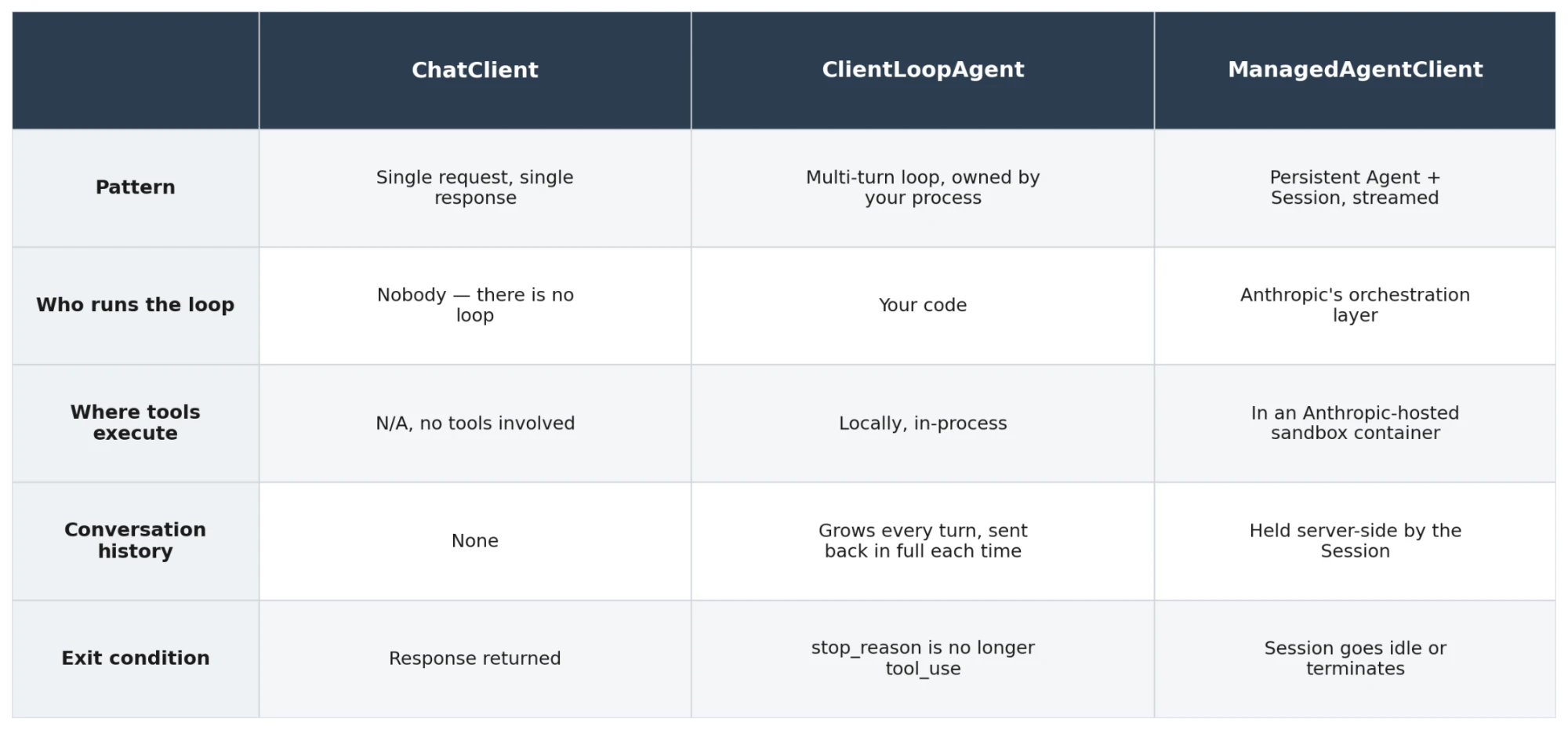
This is the first of three posts — one project each. They're written to stand on their own, but they share the same reference table and infrastructure diagram, so if you've read one you'll recognise the map immediately in the next.
Today's project is the left-most column: ChatClient never runs a loop, because there is no loop to run.
Helicopter view - where do they live?
Where in the Anthropic universe do these projects live and execute? As seen in the below image, the first (ChatClient) lives on my own MacBook (called "your own infrastructure"). It just consults Claude being the Large Language Model (LLM) by using the Messages API to obtain a response.
flowchart TB
    subgraph anthropic["Anthropic infrastructure"]
        api["Messages API<br/>client.Messages.Create"]
        claude["Claude (model)"]
    end

    subgraph yours["Your infrastructure"]
        chat[ChatClient]
    end

    api e1@<--> claude
    chat e2@-->|one request| api

    e1@{ animate: true }
    e2@{ animate: true }

    classDef n fill:#ececff,stroke:#9370db,color:#333
    class api,claude,chat n
    style anthropic fill:#ffffde,stroke:#aaaa33,color:#333
    style yours fill:#ffffde,stroke:#aaaa33,color:#333
ChatClient: the API in its simplest form
This is one call to client.Messages.Create with a prompt and a model, and then printing whatever text block comes back. No history, no tools, no state between calls. It's the equivalent of a single question asked to a stranger who forgets you the moment they answer.
The value of building this first wasn't the code — it's three lines of substance. The value was seeing, without any loop logic in the way, exactly what the API gives you back: a Message with a StopReason and a list of ContentBlocks that you have to pattern-match against (TryPickText, TryPickToolUse, and so on). Everything more complex Anthropic offers is built on top of this same shape.
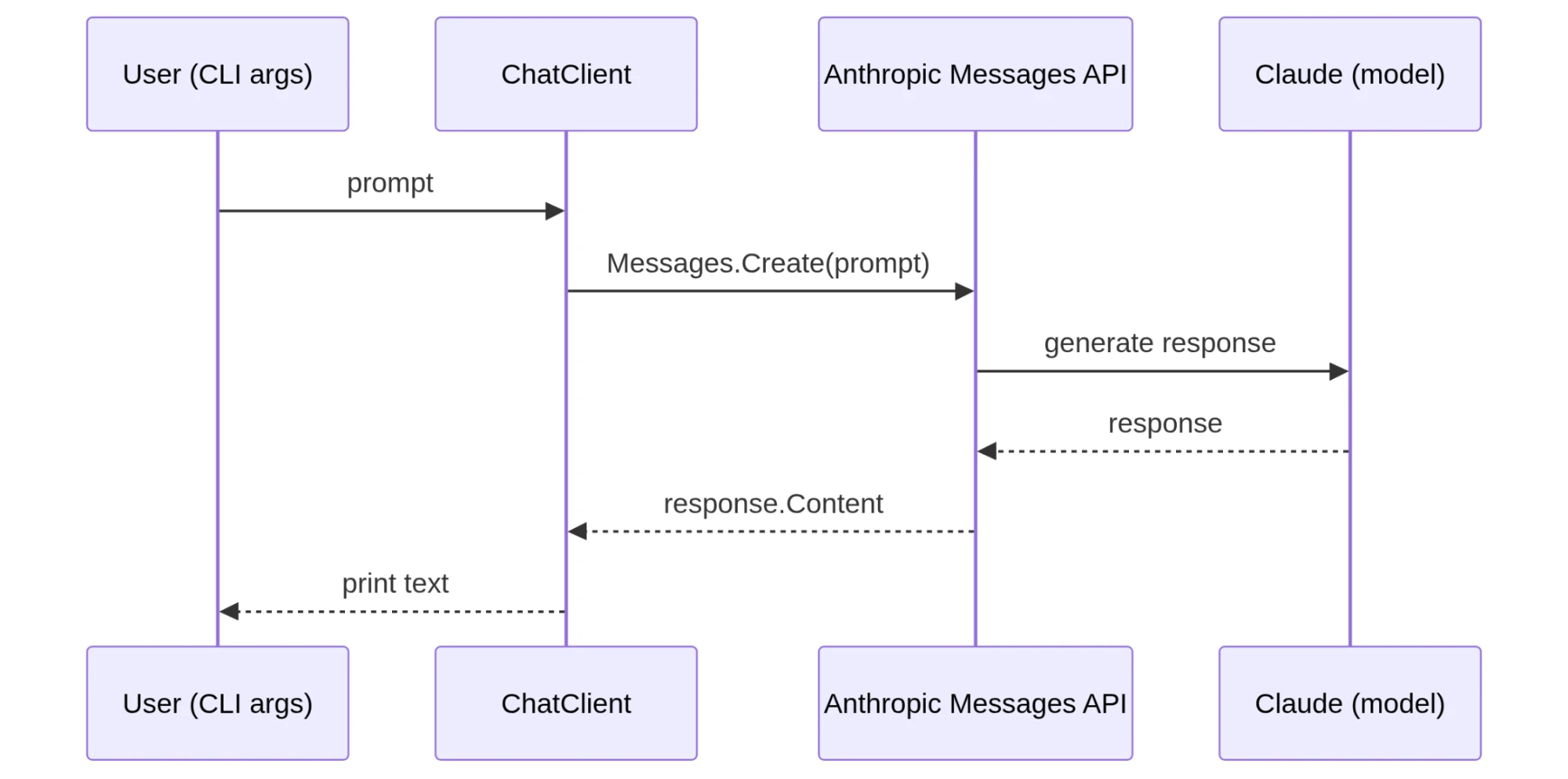
Source code and execution
As seen below - I run the app by asking a question ("Give me a poor dad joke") and I receive the response from Claude.
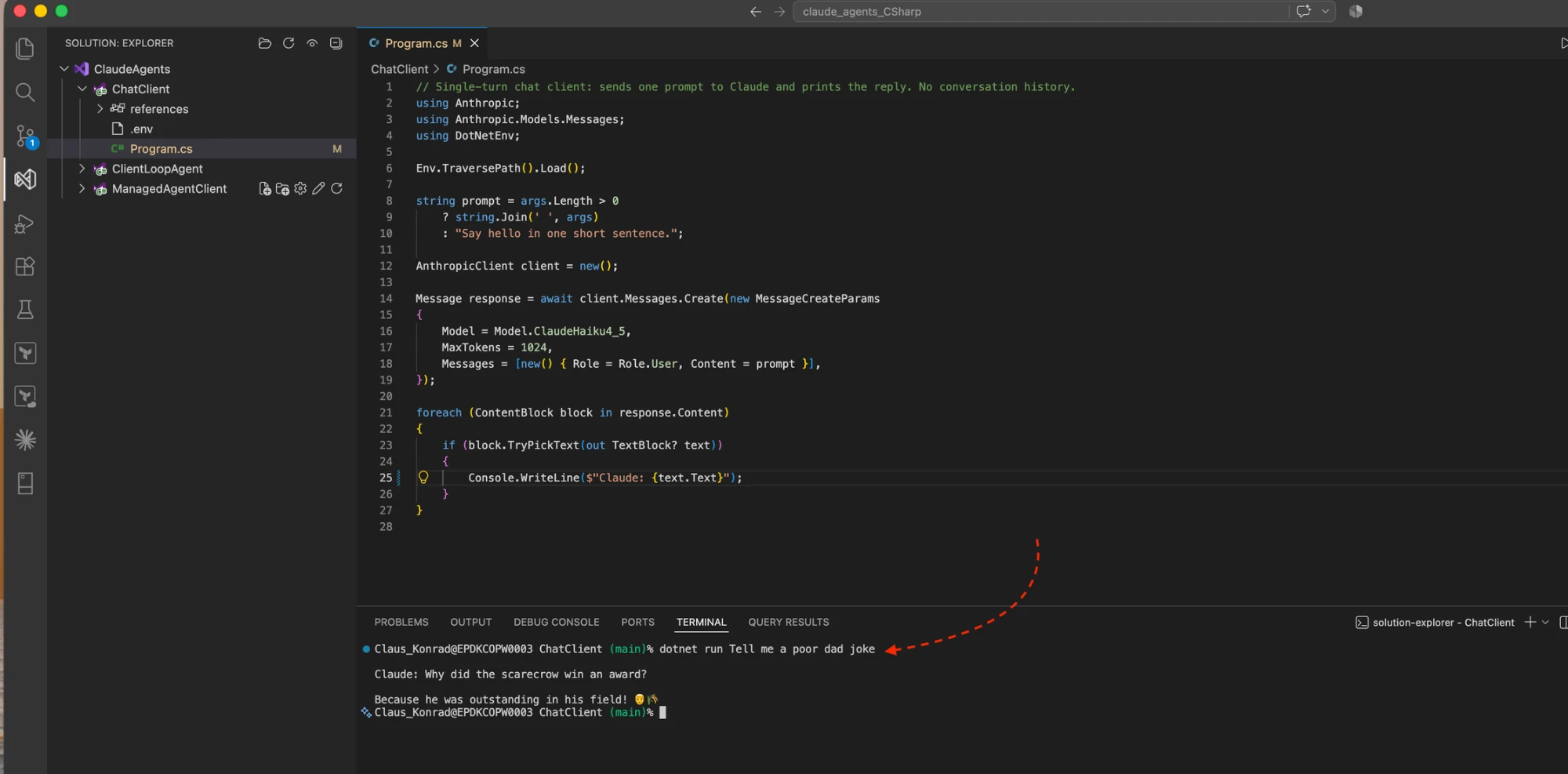
As seen - it's a simple ask and response pattern.
Next up, Part 2 covers ClientLoopAgent — the point where "agent" stops being a marketing word and starts being a mechanical fact, because this time I wrote and own the loop myself.
Part 1 of 3 — Climbing back out of the Valley of Despair: three ways to talk to Claude. Part 2: ClientLoopAgent. Part 3: ManagedAgentClient.