Mountain of Stupidity → Valley of Despair (part 2)
Three ways to talk to Claude — Part 2 of 3: ClientLoopAgent
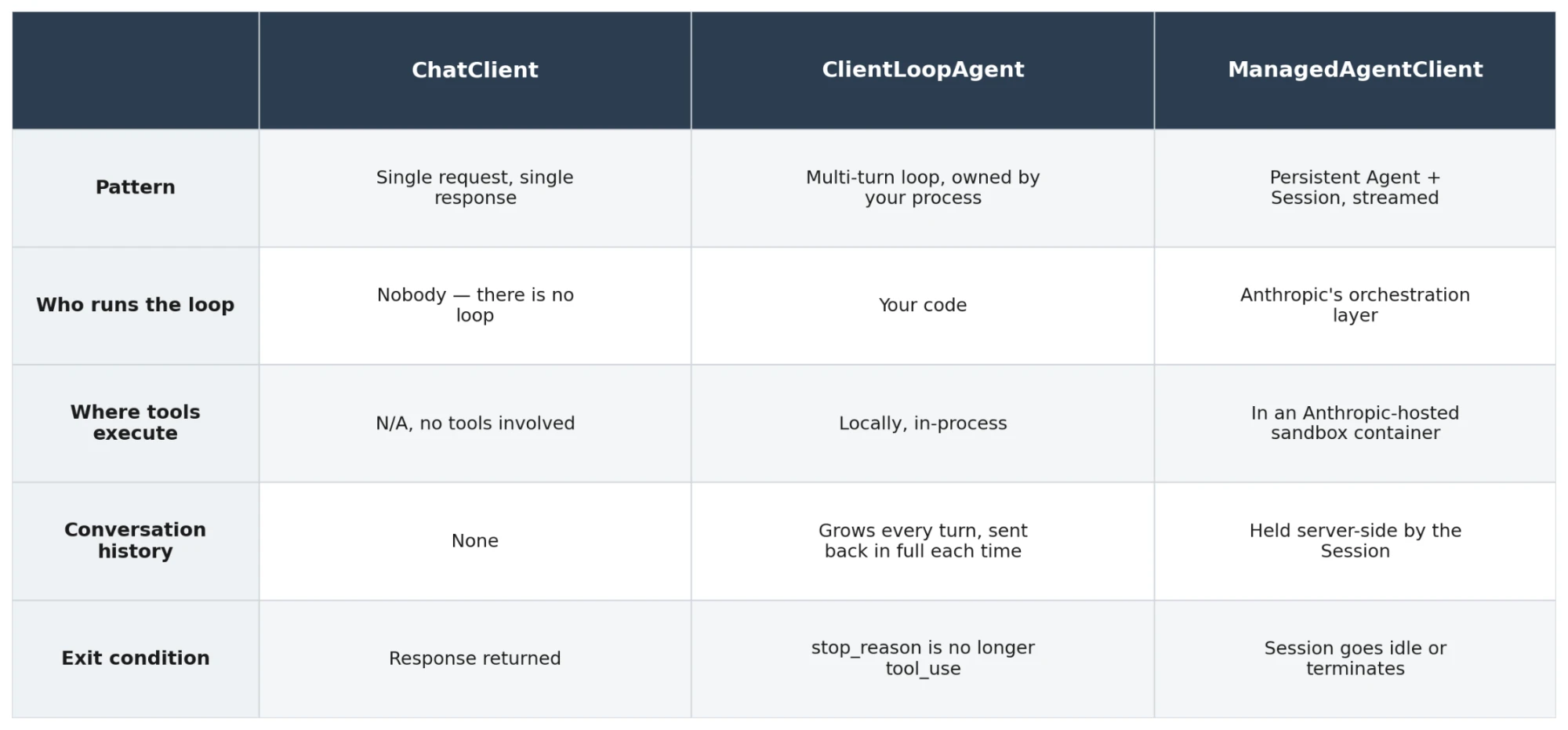
Quick recap for anyone joining mid-series: I climbed out of the post-certification "Valley of Despair" (that humbling moment where you realise how much you didn't know you didn't know) not by reading more, but by building the same small thing three different ways in C#, until the differences between them stopped being abstract. Three standalone console apps, each a different point on the spectrum from "just call the API" to "let Anthropic run the whole loop for you."
Part 1 covered ChatClient — one call, one response, no loop, no tools.
Today's project is the middle column: ClientLoopAgent and its tools never leave your own machine, they just make more than one round trip to Claude.
Helicopter view
A quick recap - where does the code live and where does it execute? We are still in our own infrastructure (MacBook).
flowchart TB
    subgraph anthropic["Anthropic infrastructure"]
        api["Messages API<br/>client.Messages.Create"]
        claude["Claude (model)"]
    end

    subgraph yours["Your infrastructure"]
        cla[ClientLoopAgent]
        tools["Local tools<br/>get_current_time · calculate"]
    end

    api e1@<--> claude
    cla e2@<-->|request per turn| api
    cla e3@<-->|execute tool_use locally| tools

    e1@{ animate: true }
    e2@{ animate: true }
    e3@{ animate: true }

    classDef n fill:#ececff,stroke:#9370db,color:#333
    class api,claude,cla,tools n
    style anthropic fill:#ffffde,stroke:#aaaa33,color:#333
    style yours fill:#ffffde,stroke:#aaaa33,color:#333
ClientLoopAgent: the loop is yours to own
This one is where "agent" stops being a marketing word and starts being a mechanical fact. You define tools (in my case get_current_time and a basic arithmetic calculate)
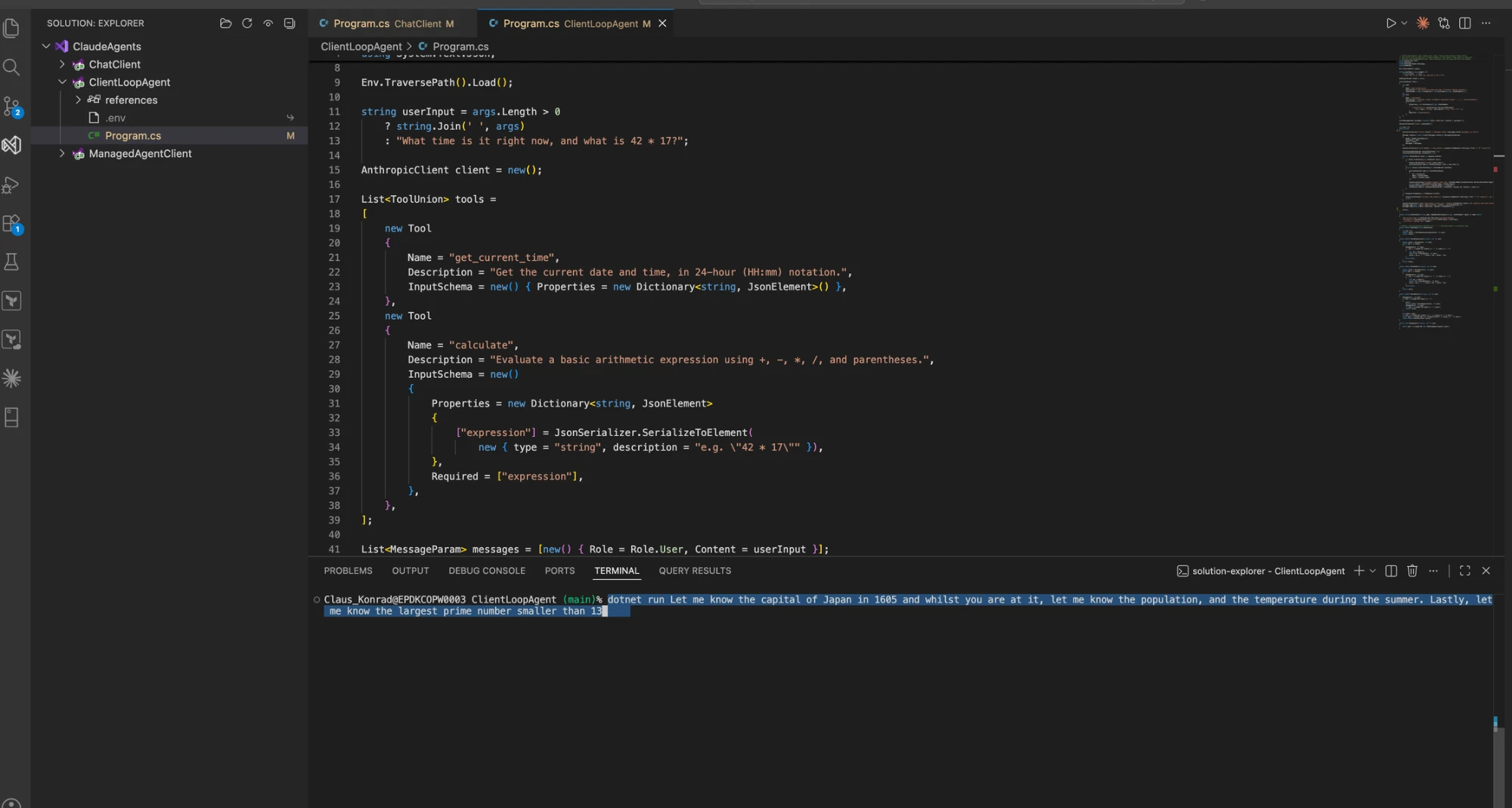
The call sequence is now:
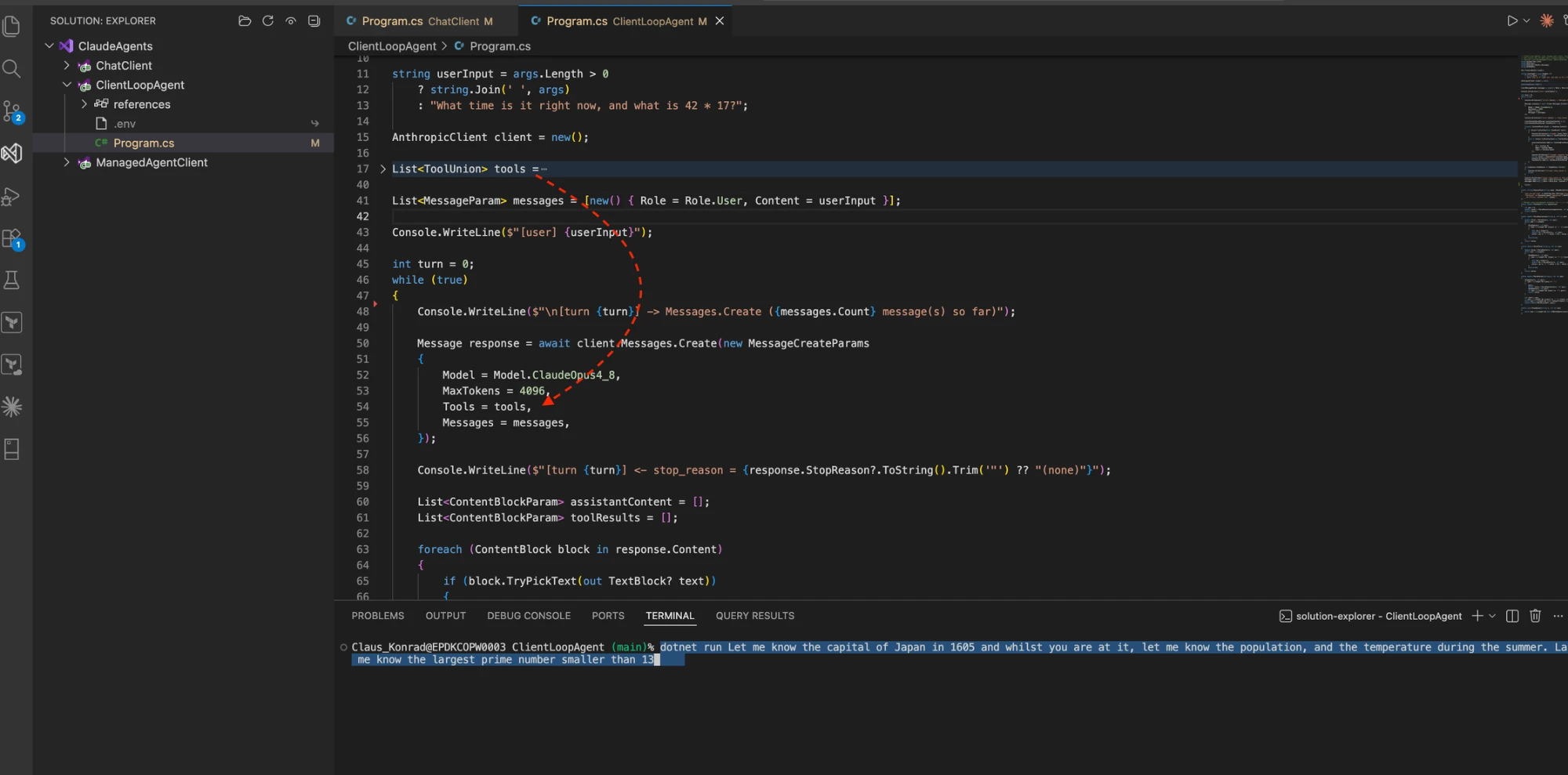
Call Messages.Create with the full message history plus the tool definitions.
Inspect the response. If Claude asks for a tool (stop_reason == tool_use), read the ToolUseBlock, execute the matching function yourself, and wrap the result in a ToolResultBlockParam.
Append both the assistant's turn and your tool result to the message list, and call Messages.Create again.
Repeat until stop_reason is end_turn — Claude decided it has enough to answer and stopped asking for tools.
The sequence is seen below as a UML-diagram.
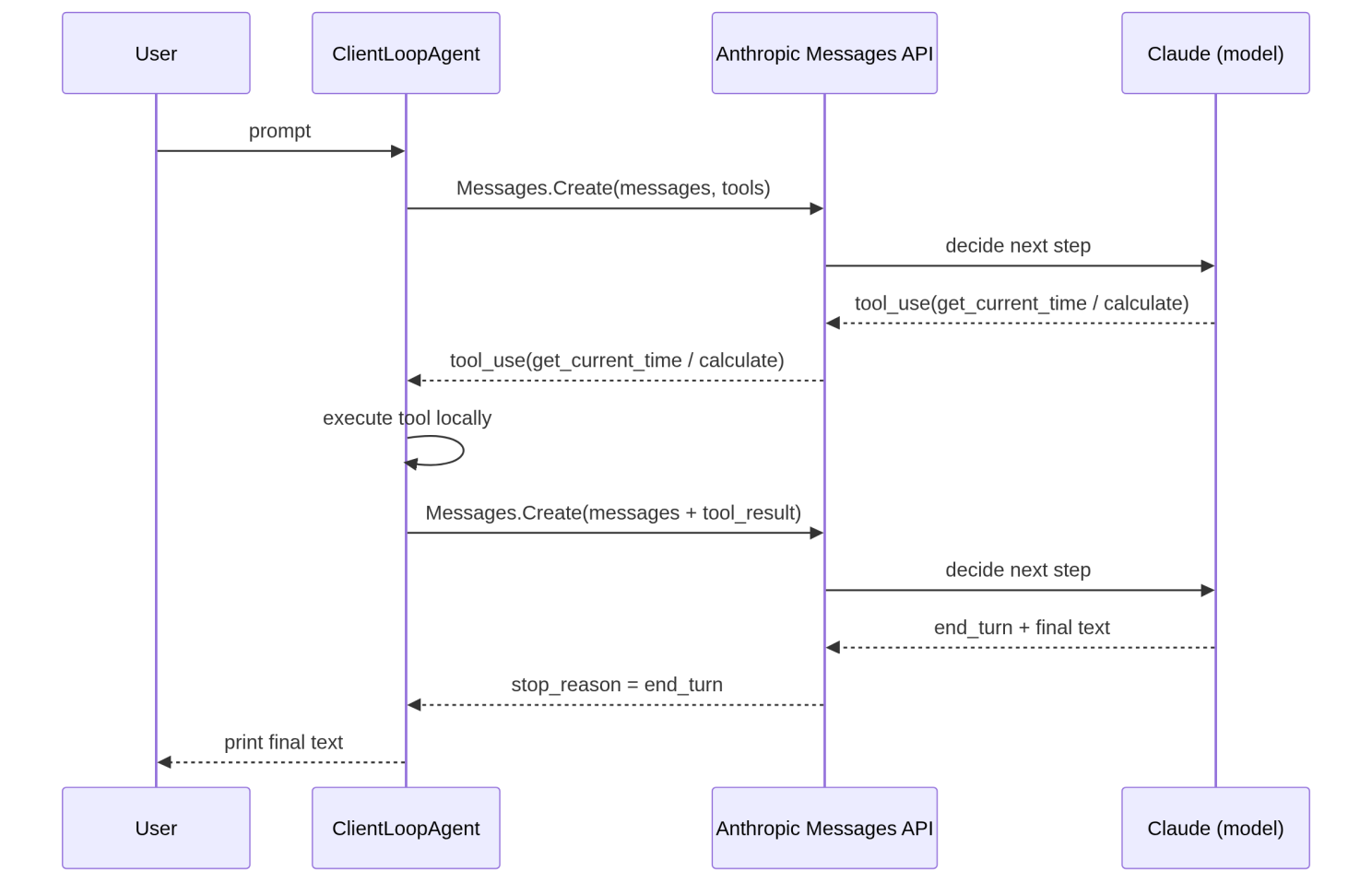
Nothing here executes outside your machine. Anthropic never runs your calculate function; it only ever tells you it wants to, by name, with arguments, and waits for you to report back what happened.
As seen in the below screenshot, the agent loop actually took 2 turns (0..1) before it came back with a response to my (very odd!) questions. The Japan thing it needed to look up in it's own memory/knowledge base (what it has been trained on) whereas the math question about prime numbers came from my own provided tool (calculate).
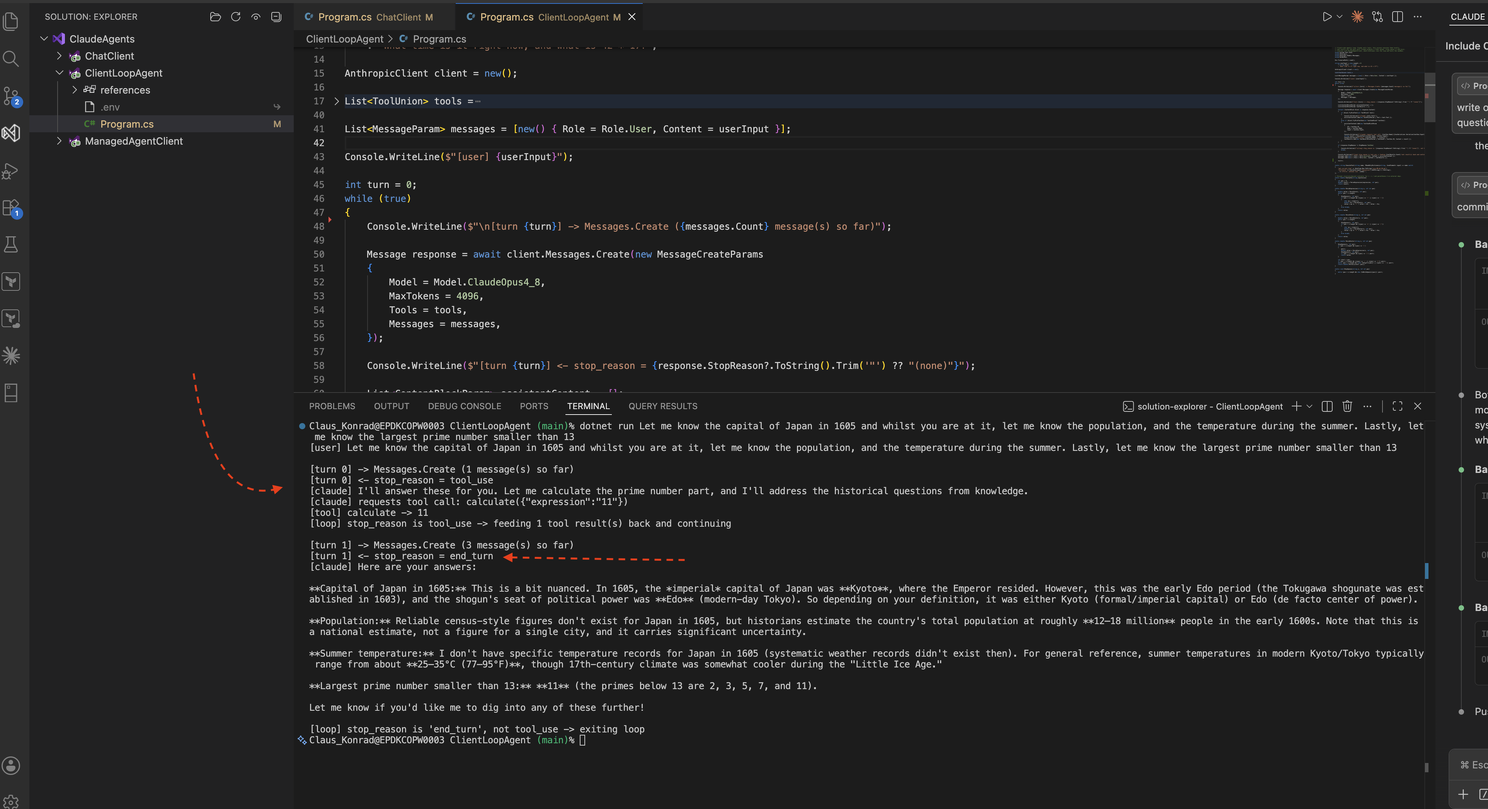
The intelligence is in what Claude chooses to ask for and when it decides it's done — the plumbing around it is ordinary code you already know how to write.
That's also where the Dunning-Kruger dip actually paid off: once I'd written that loop by hand, it all made a lot more sense.
Part 3 finishes the series with ManagedAgentClient — the right-most column, where Anthropic runs the loop and hosts the sandbox instead of me.
Part 2 of 3 — Climbing back out of the Valley of Despair: three ways to talk to Claude. Part 1: ChatClient. Part 3: ManagedAgentClient.